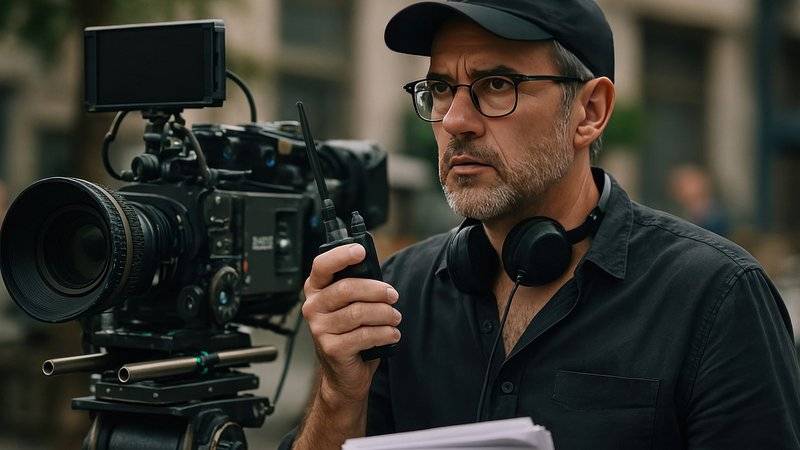
You do not need a camera, a ring light, or a subscription to a pro editor. The Halloween videos that go viral on TikTok and Reels are almost always shot on a phone and cut together in an afternoon. What separates a clip that gets 200 views from one that gets 200,000 is not the gear - it is a plan, three cheap lighting tricks, and the sound design most beginners skip. This beginner's guide walks you through how to make a Halloween video from idea to export, with zero paid software.
By the end you will have a 15–45 second vertical short ready for TikTok, Instagram Reels, Pinterest Idea Pins and YouTube Shorts. We will also hand you 20 spooky video ideas you can shoot this weekend, and the exact editing order that makes first-timers look like they have been doing this for years.
20 spooky video ideas you can shoot this weekend
Pick one idea, not five. Beginners over-scope; a 20-second jumpscare outperforms a two-minute film every time. These are the formats that consistently trend on TikTok and Reels (TikTok Creative Center public trend data, 2025–2026):
- Costume reveal transition — normal you walking in, spooky you walking out.
- "Wait for it" jumpscare in a hallway or closet.
- Pumpkin carving speed-lapse with ASMR audio.
- GRWM (get ready with me) zombie / vampire makeup.
- Pet reacting to their own Halloween costume.
- "My Halloween decor vs. my bank account" skit.
- Ranking Halloween candy from worst to best.
- Haunted house POV — first-person walkthrough.
- "I asked AI to design my Halloween costume" reaction.
- Last-minute costume from your closet.
- Fog reveal — fog machine, then your face appears.
- Mirror scare — you wave, reflection doesn't.
- Ouija board reading that goes wrong.
- "31 days of Halloween" countdown vlog.
- Couples costume transformation.
- Horror movie scene reenactment on a budget.
- Jack-o'-lantern timelapse at dusk.
- "What I actually ate on Halloween" mukbang.
- Ghost filter trend with a plot twist.
- Behind-the-scenes of your haunted house setup.
1Shoot on your phone
You already own the camera. Three settings and three setups do 90% of the work:
- Film vertical (9:16). TikTok, Reels, Shorts and Pinterest Idea Pins are all vertical. Turn the phone sideways and you throw away two-thirds of the screen.
- Lock exposure and focus. Tap and hold on the brightest part of the frame to lock AE/AF. This stops the camera from auto-brightening mid-shot — the #1 reason Halloween footage looks washed out.
- Film in 4K 30fps if you can. You can always shrink it later; you cannot invent detail you did not record.
Lighting on a $5 budget: shoot facing a window during the day for soft, natural horror light. At night, use one lamp covered with an orange or red sheet — that single trick turns a bedroom into a haunted house. Put the lamp to the side, not directly in front of you, so half your face falls into shadow. That shadow is what sells the scary.
Audio: record 10 seconds of room tone in the quietest part of your house. You will use it later. And never shoot a talking-head clip further than an arm's length from the phone — phone mics are terrible, and distance makes it worse.
2Edit for beginners, step by step
You do not need Premiere. The free editor on your phone (CapCut, the built-in iOS editor, or any free web editor) is enough. Follow this exact order and you will not get lost:
- Import all clips and rough-cut. Drag them onto the timeline in order. Delete every second you do not need. A 20-second video should be 20 seconds, not 60.
- Cut on the beat. Drop in a trending audio and place your cuts where the sound hits. Cuts that land on the beat feel professional even when they are not.
- Add one jump cut per 5 seconds. Jump cuts keep attention; long static shots lose it. This is the single biggest edit upgrade beginners can make.
- Color-grade in one click. Most editors have a "horror" or "dark" filter. Drop it on, lower brightness 10%, raise contrast 15%. Done.
- Add captions. 85% of people watch without sound. Auto-caption, then fix the typos. More on spooky caption styles in the next section.
3Sound design — the secret sauce
Viewers will forgive a blurry clip; they will not forgive a silent one. Horror is 70% sound. You need three layers:
| Layer | What it is | Where to get it |
|---|---|---|
| Bed | Low ambient drone, wind or room tone under everything | Record your own, or use the Ambience pad |
| Hit | The scream, creak, door slam or heartbeat that lands on the scare | Sound Effects Generator — 12 spooky sounds, one click |
| Music | A trending Halloween audio from the platform's own library | TikTok / Reels audio library (avoid copyrighted tracks) |
Rule of thumb: the bed sits at -24dB, the music at -16dB, the hit at -6dB. The hit should make the viewer jump; the bed should be almost subliminal. If you only do one thing in this section, add a single creak or heartbeat under a quiet moment — it doubles the perceived scariness.
4Text, glitch and horror effects
Three effects, used sparingly, make a clip look produced:
- Flicker: quick 2-frame brightness flashes at the jumpscare. Cheap, effective, free in every editor.
- Glitch / RGB split: a one-frame color shift on the reveal. Use it once, not on every cut.
- Vignette: darken the edges of the frame. Instant cinematic feel.
For the on-screen text itself — captions, titles, the "don't look" warning — the font and animation matter as much as the words. Blood-drip letters, typewriter reveals and glitchy subtitles each signal a different kind of horror. We break down when to use each in Scary Subtitle Styles: Add Horror Text to Your Videos Like a Pro, and you can render them live in the Subtitle Effects Generator.
5Export and post
Export settings that work everywhere: 1080×1920 (vertical), MP4, H.264, 30fps, under 60 seconds. If your editor only offers WebM, that is fine too — TikTok and Reels accept both. Add a caption that asks a question (see our 125 Halloween TikTok captions), stack 3–5 hashtags using the Hashtag Generator, and post between 6–9 p.m. local time. You are done.